Your bot answers.
You step in when it matters.
Handover is a free Chrome extension that puts every conversation your n8n chatbot has into one inbox. Take over in one click, reply as a person, and hand the chat back to the bot when you're done.
Chatbots are great until a customer needs a person.
Your n8n bot handles the easy questions around the clock. But when someone is upset, has a damaged order or simply asks for a human, the bot keeps answering — and you can't see it happening.
Watch, take over, hand back.
Handover sits in Chrome's side panel next to whatever you're working on.
Your bot answers
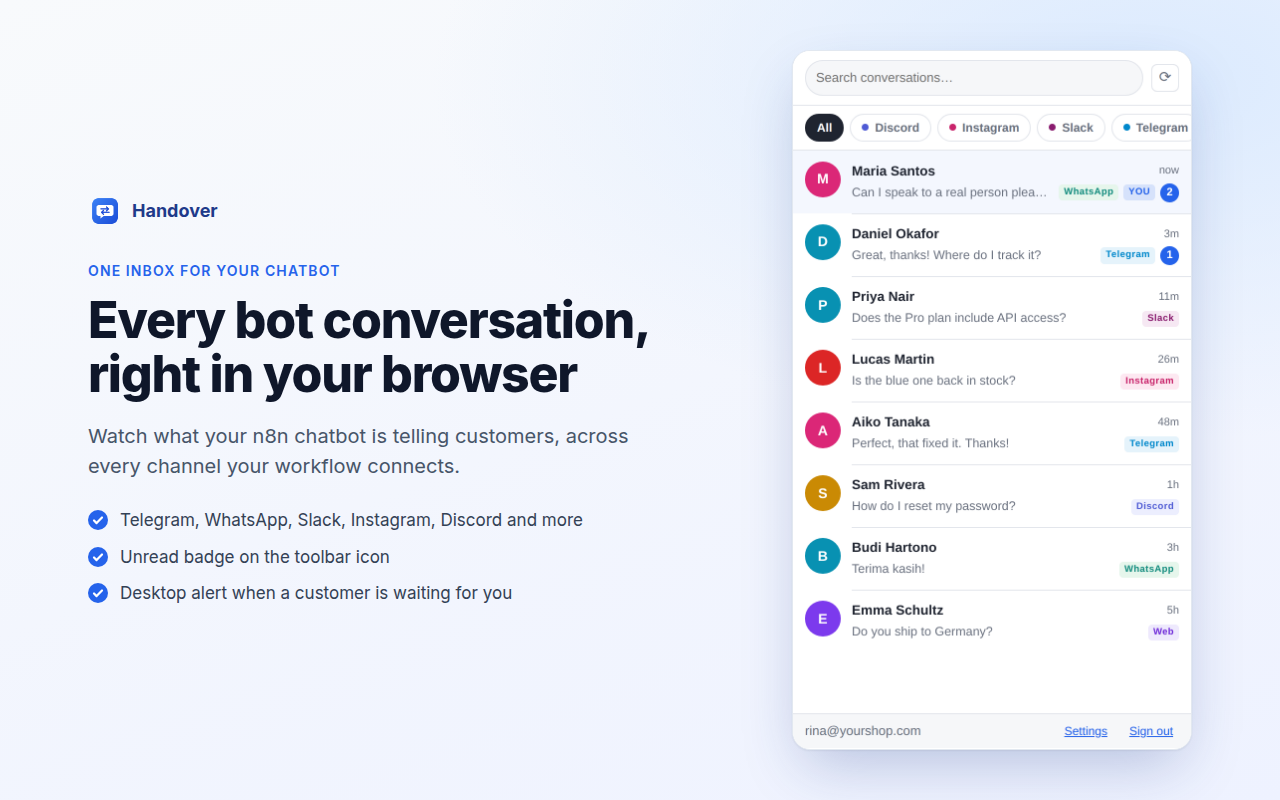
Every message your n8n chatbot sends and receives appears in one inbox, live, labelled by channel.
You take over in one click
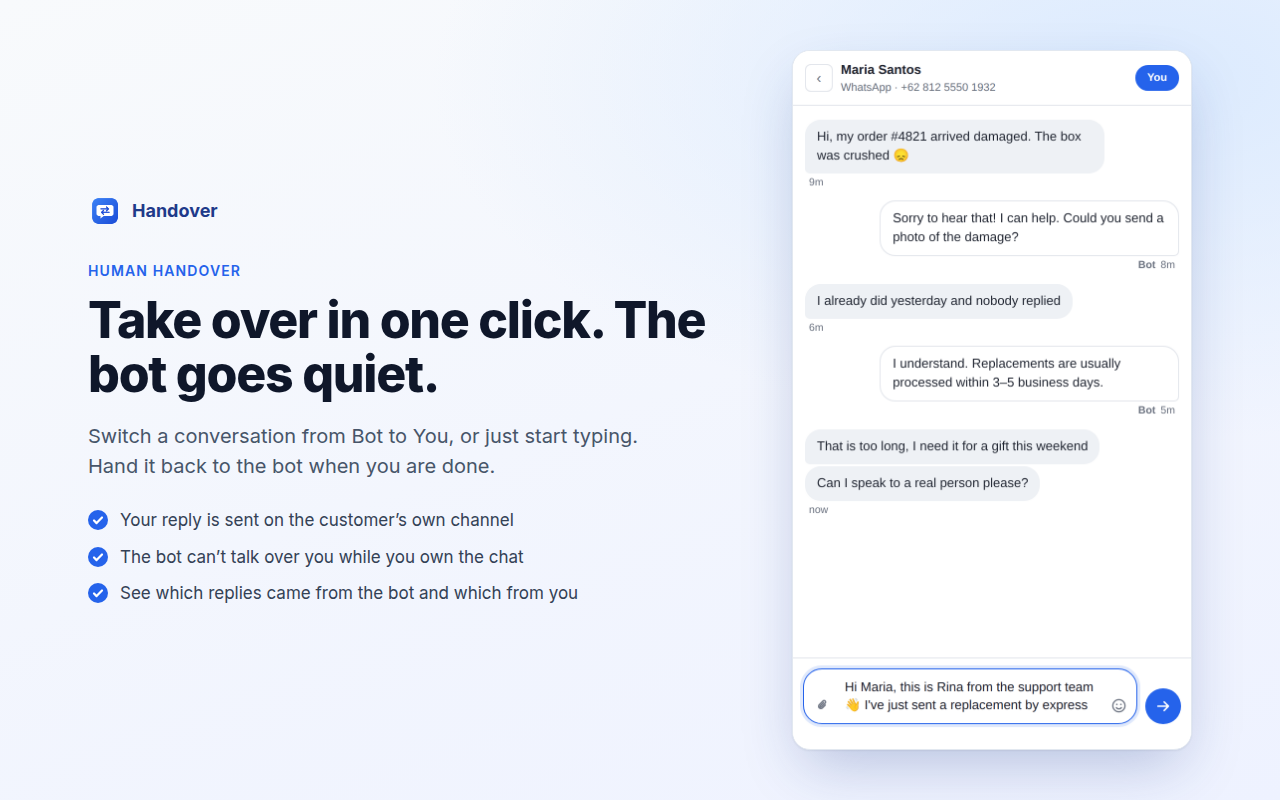
Switch a conversation from Bot to You — or just start typing. The bot stays silent until you hand it back.
Reply on their channel
Your reply goes out on WhatsApp, Telegram or wherever the customer wrote. Click Bot and the bot carries on.
Everything you need to step in fast.
One inbox for every channel
Telegram, WhatsApp, Instagram, Messenger, Slack, Discord, web chat — whatever your workflow connects.
One-click takeover
Bot → You in a click. Replying takes over automatically, so the bot can never answer on top of you.
Never miss a customer
Unread count on the toolbar icon — red when someone is waiting for you — plus desktop notifications.
Reply like a real chat app
Text, emoji, images — or paste a screenshot straight into the reply box. Enter to send.
Filter and search
Show one channel at a time, and search names, handles and every message customers wrote.
Private by design
Connects straight to your own Supabase and n8n. No server, no account, no tracking.
No server. No account. Your data stays yours.
Handover is just the inbox. Your conversations live in your own Supabase project and your replies go through your own n8n workflow. Nothing passes through us.
The extension is free. Skip the build with a workflow.
Already have an n8n chatbot? Connect it with the setup guide. Starting fresh? Import a workflow that answers from your own documents and hands over to you when it should.
Handover
- Inbox for every channel
- One-click takeover
- Badge & desktop alerts
- Works with your own n8n bot
Standard
- Telegram AI bot
- Answers from your documents
- Human handover + email alert
- Demo store knowledge base
Pro
- Everything in Standard
- Voice notes & photos
- Business hours & auto hand-back
- Phone alerts & weekly report
- Leads to Google Sheets
Pro Multichannel
- Everything in Pro
- WhatsApp Cloud API
- Instagram & Messenger
- One bot, one inbox
- WhatsApp 24-hour rule handled
Workflows run in your own n8n with your own Supabase and OpenAI key. One-time purchase, no subscription.
Up and running in about 15 minutes.
Questions, answered.
Is Handover free?
Yes. The Chrome extension is free with nothing locked. Ready-made n8n workflows are separate products: Handover Standard is free, and the optional Pro and Pro Multichannel workflows add more features and channels.
Do I need to run a server or create an account?
No. Handover connects directly to your own Supabase project and your own n8n workflow. There is no Handover server and no Handover account.
Which chat platforms does Handover work with?
Any channel your n8n workflow connects: Telegram, WhatsApp, Instagram, Facebook Messenger, Slack, Discord, web chat and others. Handover shows whatever channel name your workflow saves.
Does it work with my existing n8n chatbot?
Yes. Your workflow saves each message to Supabase, checks whether a person has taken the conversation before the bot replies, and delivers the replies your team sends. The setup guide walks through every node, or import a ready-made workflow.
Where are my conversations stored?
In your own Supabase project. Handover has no server, no analytics and no tracking, and nothing passes through Namici Lab. Read the privacy policy.
Can my whole team use it?
Yes. Add a login for each colleague in Supabase. Everyone sees the same inbox, and the toolbar badge shows who's waiting.
Which browsers are supported?
Chrome and other Chromium browsers with side panel support, including Microsoft Edge and Brave.
How long does setup take?
About 15 minutes with the setup guide — or a few minutes with a ready-made workflow.
Learn how human handover works in n8n.
Let your bot answer. Step in when it matters.
Install Handover free, connect your n8n chatbot, and never leave a customer waiting again.